Invoice |
  
|
Invoice |
|
Here you need to configure your invoices. Set the invoice number the way you need it and the VAT of your country. Also you need to edit the invoice template as different countries require different information on the invoices. If you hit the Edit button, FastReports Editor will open. The easiest way to enter your address is to double click on the sample addresses. A dialog will open, where you can enter your data.
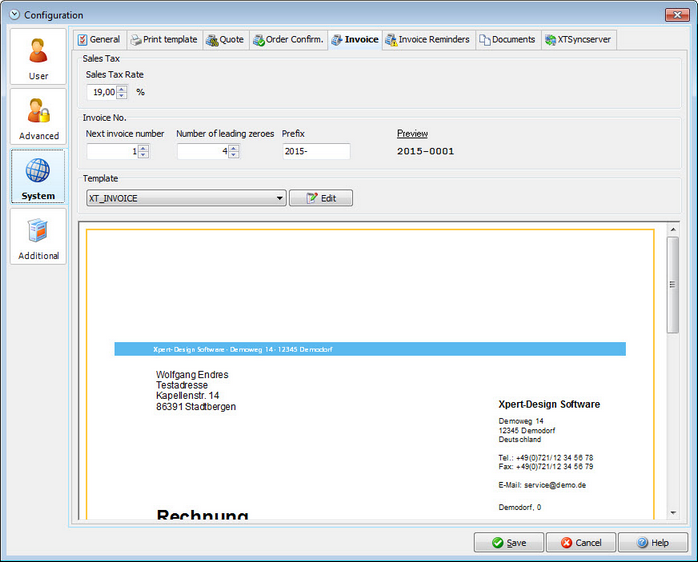
VAT |
This is the standard VAT percentage for your invoices. You can still manually change it in the invoice dialog. |
Invoice number |
You can set your invoice number here. From this number on, Xpert-Timer will count upwards on every new invoice. You can use letters and numbers as your prefix. |
Template |
The template options are loaded from your Reports directory. All reports starting with XTINVOICE_ will be visible in the drop down. You can edit your template here, too. Please note, that the Report Generator "Fast Reports" is a separate product we cannot offer support for. |