Add reimbursables to projects |
  
|
Add reimbursables to projects |
|
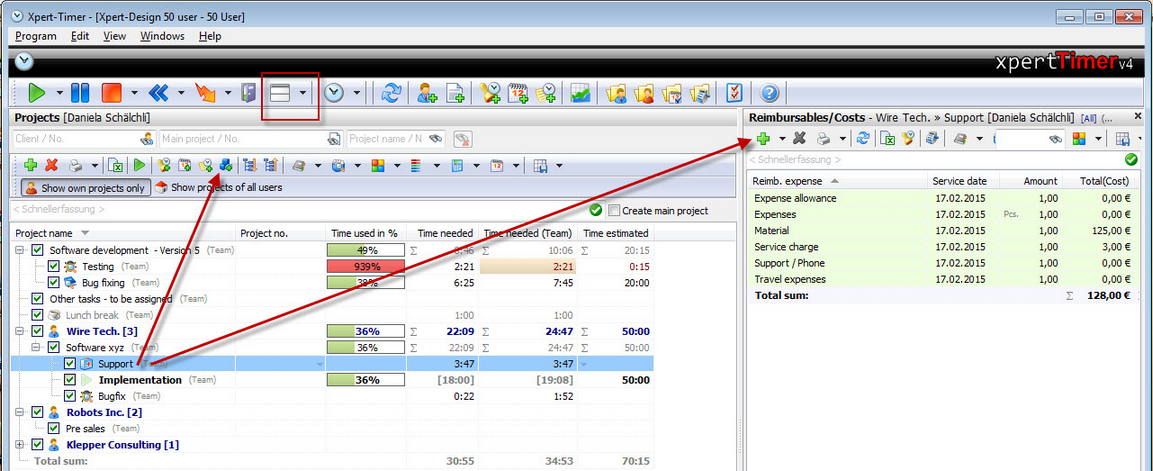
To add new reimbursables, I'd display the area in the project manager. This way it's easier to view all entries. Show the Reimbursables by hitting the "Display areas" button.
Mark the project you want to create a reimbursable for and hit either the "Add reimbursable" button above your project list or the green plus button in your Reimbursables/Costs area.
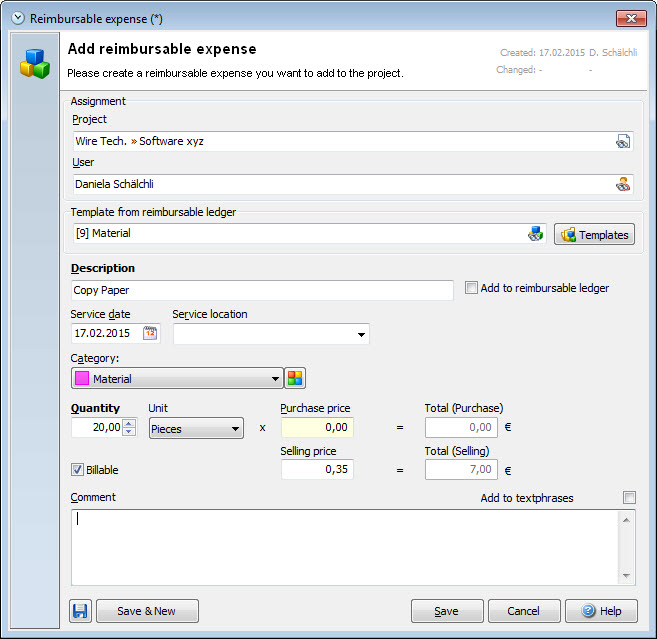
A dialog will open, where you can add the reimbursable expense. You can add as many details as you like.
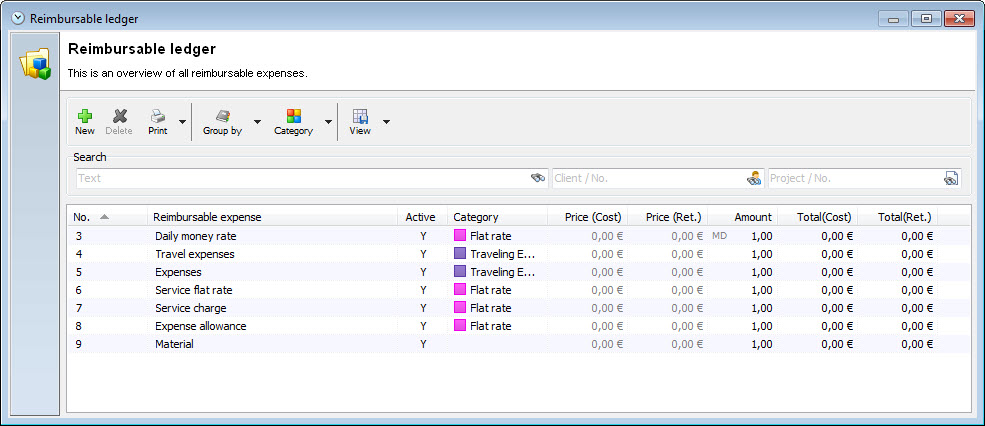
After the first installation of Xpert-Timer, there will be some example templates in your ledger:
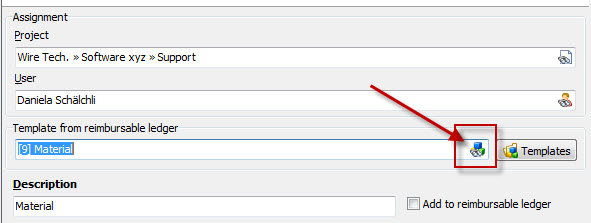
Choose a template from the catalog or choose "Reimb. Expense" to enter any service you want.
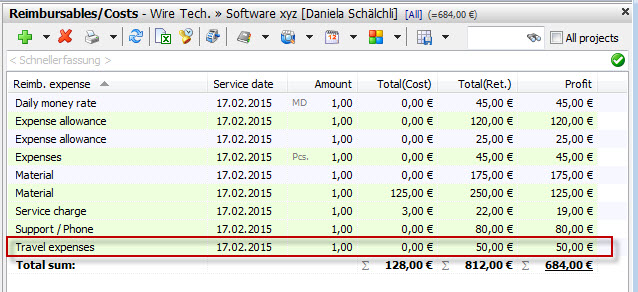
After you've entered all necessary details, click on save and you new reimbursable expense will show up in your reimbursables: