Additional modules |
  
|
Additional modules |
|
Decide here to use or not to use additional modules. Check the boxes if you want to use the client management, the document management, the To-Do list, the synchronization module or the reporting. The less you check, the better overview you get in Xpert-Timer. So make sure you uncheck the modules you don't work with.
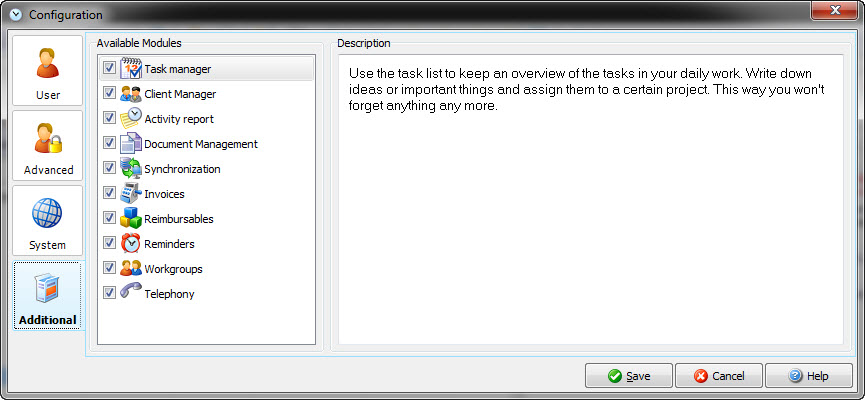
Available additional modules:
Task list |
Use the To-Do list to keep an overview of the tasks in your daily work. Write down ideas or important things and assign them to a certain project. This way you won't forget anything anymore. |
Client Manger |
The client manager helps you to organize your projects and allows quick access to important addresses and notes. |
Activity Report |
The activity report supports you in keeping track of all the items you resolved during your workday. |
Document Management |
The document management allows to link documents and files to certain projects and clients. |
Synchronization |
Synchronize changes on different systems (e.g. notebook and desktop PC) in one database with the synchronization module. (extra charge) |
External reporting |
The external Reporting with the additional XTReport (extra charge) allows to create your own reports by using SQL statements and direct access to the Xpert-Timer database. |
Invoices |
With the invoicing module you can bill all services to your client. You can also keep track of reimbursable expenses, other than project timestamps. |
Reimbursable Expenses |
Use the reimbursable expenses dialog to keep track of extra charges, like travelling expenses of each project and bill them to your client. |