General |
  
|
General |
|
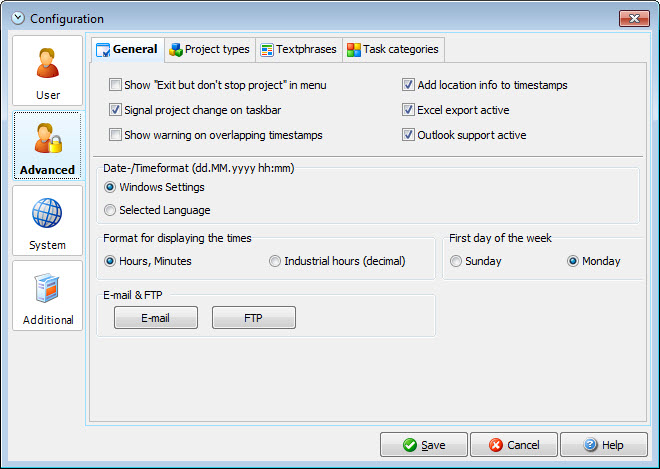
Show "Exit but don't stop project" in menu |
Show this extra shutdown possibility. With this option you can shut down the Xpert-Timer but have the program continue to count. This is very helpful if you board a plane for example and need to track the travel time.. |
Signal project change on taskbar |
Short message in the taskbar if you change the project. |
Show warning on overlapping timestamps |
In case you want to manually create overlapping timestamps, you'll be prompted with a message and you need to confirm, that the timestamps are supposed to overlap. |
Add location info to timestamps |
This offers an extra field in your timestamps to enter a location. This option is also available on the Android mobile App, so if you synchronize your data between those two products, you might want to activate the location. |
Excel export active |
If this checkbox is checked, you can see the Excel export options in your context menu. |
Outlook support active |
If activated, you can exchange your tasks with outlook. The function will be available in the context menu when right clicking on a task. |
Date- / Timeformat |
Choose here, either to use the Windows settings, or the language of the translation file. If you are located in the Netherlands and you choose the language of the translation file, you'll have USD as your currency. If you use the Windows settings you'll see EURO as your currency. |